
XL Office and XL Base manual
Everything you need to write, calculate, present and keep your data on your Atari 8-bit computer.
Getting started
XL Office runs on any Atari XL or XE with 64 KB: the 800XL, 65XE, 130XE, 800XE and XEGS, in NTSC and PAL. The download has two disk images: XLOffice-1.0.atr, which boots the program, and XLOffice-Data.atr, the data disk for your documents, which already holds a sample letter, budget and presentation.
- In Altirra: choose an 800XL or a 130XE, open Boot Image from the File menu and select
XLOffice-1.0.atr. - In atari800: run
atari800 -xl XLOffice-1.0.atr. The numeric keypad works as the joystick. - On a real Atari: copy the image to a FujiNet, SIO2PC or SDrive, or write it to a floppy, and switch the computer on.
There is no need to hold OPTION at power on: XL Office turns BASIC off by itself.
Start menu
The start menu appears as soon as the disk boots. Pick a program with its number, with the arrows and RETURN, or with the joystick and its button.

| Key | Program |
|---|---|
1 | XL Write, word processor |
2 | XL Calc, spreadsheet |
3 | XL Show, presentations |
4 | Settings: language |
5 | Back to DOS |
Language
XL Office starts in English. To switch to Spanish choose 4 (Settings) and then 2 (Español). The choice is saved on the disk in XLOFFICE.CFG and applies to all three programs.

1 for English and 2 for Spanish.Common to all three programs
- Menus:
ESCopens the menu. Then use the arrows, RETURN or the first letter of an option. With the joystick, click the menu title. - Toolbar: click the buttons with a joystick in port 1.
- Accents: press the Atari key and then a vowel to type á, é, í, ó or ú. Atari and
ntype ñ, Atari and?type ¿, and Atari and!type ¡. - Caps lock: CAPS. The status bar shows CAPS and ACCENT while they are active.
- Confirmations:
Yor RETURN for yes,Nor ESC for no. - Files: a name without a drive uses
D1:, and a name without an extension gets the program's own. For the data disk type, for example,D2:LETTER. - Back to the menu:
^Q(CONTROL and Q). If there are unsaved changes, XL Office asks first.


XL Write
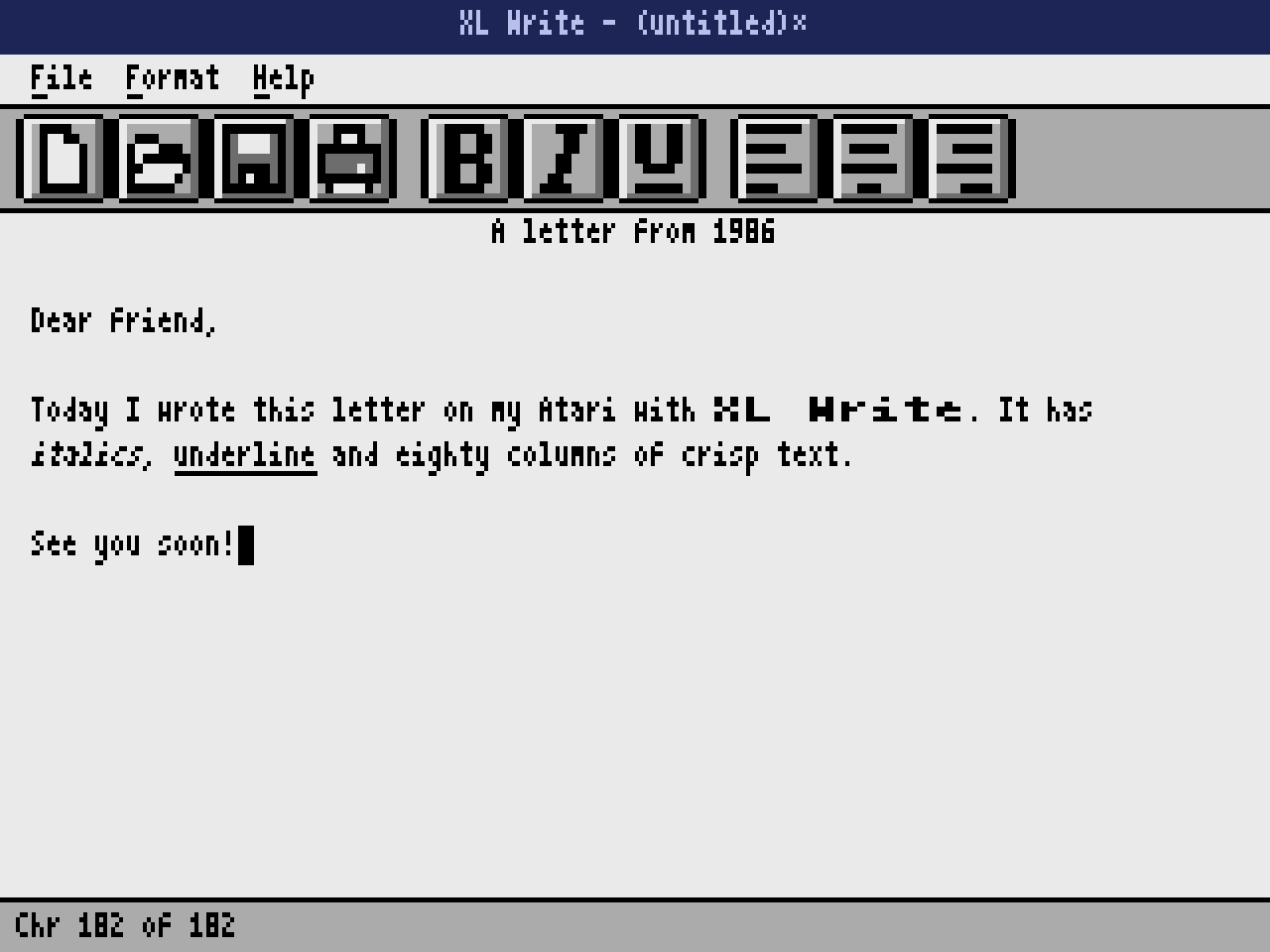
An eighty column word processor with automatic word wrap. Each document holds up to 8 KB, roughly four typed pages. Bold text is shown at double width.
| Key | Action |
|---|---|
| Arrows | Move the cursor. You can also click in the text |
RETURN | New paragraph, with the same alignment |
BACK S | Delete the previous character |
CTRL BACK S | Delete the character under the cursor |
TAB | Four spaces |
^B ^I ^U | Bold, italics and underline from the cursor on |
^L ^E ^R | Align the paragraph left, center or right |
^N ^O ^S | New, open and save (.XLW) |
^X | Export text for the PC (.TXT) |
^P | Print on printer P: |

XL Calc
A spreadsheet with 16 columns (A to P) and 64 rows, using the floating point arithmetic in the Atari's own ROM.

| Key | Action |
|---|---|
Arrows, TAB, RETURN | Move between cells. You can also click a cell |
| Typing | Edits the cell in the formula bar. RETURN or an arrow confirms and ESC cancels |
^E | Edit the current contents of the cell |
BACK S DELETE | Clear the cell |
^B | Bold |
^N ^O ^S | New, open and save (.XLC) |
^X | Export CSV for the PC, separated by semicolons |
^P |
Numbers and formulas
- Numbers:
1250,450.5,-3or1.5E3. The point is the decimal separator. - Formulas: start with
=and accept+ - * /, parentheses, references such asB3and functions over ranges:=SUM(A1:A9),=AVG(B1:C4),=MIN(...)and=MAX(...). The Spanish namesSUMAandPROMEDIOwork too. - Formulas recalculate on their own. An error, such as a division by zero, shows as
#ERR. - Formats: from the Format menu or with the
$(currency) and%(percent) buttons. There are also thousands, two decimals, bold and alignment.


^E the formula is edited in the same bar.
XL Show
Presentations of up to 10 slides, each with a title, five bullet points, a bar chart and up to four shapes.

| Key | Action |
|---|---|
| Up and down | Choose an element: title, bullets or chart. A click works too |
RETURN | Edit the chosen element in the bottom bar |
| Left and right | Previous or next slide |
^A ^D | New slide or delete the current one |
^K ^J | Change the background gradient or the accent color |
^G | Edit the chart: values from 0 to 255 separated by commas, for example 20,30,38,52 |
^P | Present full screen. Any key moves forward, the left arrow goes back and ESC exits |
^N ^O ^S | New, open and save (.XLP) |
^X | Export titles and bullets to .TXT |

^G the chart values are edited in the bottom bar.

The toolbar buttons add a rectangle, an ellipse or a line.

^P.Your documents
- Save on the data disk (
XLOffice-Data.atr) by mounting it as drive 2 and typing names such asD2:LETTER. - Samples: the data disk holds
LETTER,BUDGETandSALESin English, andCARTA,PRESUPandVENTASin Spanish. Open them with^O, for exampleD2:LETTERin XL Write. - Each program has its own extension:
.XLWfor documents,.XLCfor spreadsheets and.XLPfor presentations. - To take your work to the PC use
^X: documents come out as.TXTwith accents intact and spreadsheets as.CSV, which opens in Excel, LibreOffice or Google Sheets.
XL Base
XL Base is our database: a separate product with its own disk (XLBase-1.0.atr), the same menus and the same keys as XL Office. Boot it as drive 1; it does not need XL Office. The database is the disk: each table is a .XLT file, and the disk brings two samples, GAMES (classic Atari games) and CLIENTES (customers, in Spanish). It starts in English; Help > Language switches to Spanish.

| Key | Action |
|---|---|
Arrows, RETURN, click | Choose and open a table |
^N | New table (opens the design view) |
^W | Back to the database window |
^S / ^X / ^P | Save / export CSV / print |
^Q | Quit to DOS |
Designing a table
One row per field with Field name (up to 10 letters), Type (T text, N number, D date, Y yes/no, or SPACE to cycle), Size and Req. (Y makes the field required). DEL removes a field. A record can be up to 255 bytes. ^S saves the table with a name of up to 8 letters and opens the datasheet. The design can be changed while the table has no records.

Datasheet and form
The datasheet shows records in rows and fields in columns; Table > Form view shows one record per screen (up and down change field, left and right change record).


| Key | Action |
|---|---|
Type, RETURN | Edit the cell; RETURN confirms and moves to the next field. ESC cancels |
Row *, ^A | New record: it is added when you type in it |
^D | Delete the record (asks first) |
DEL, BACK S | Empty the cell |
^F | Find a text in the current field |
| Record > Sort | A to Z or Z to A by the current field |
Numbers use a point for decimals (1250.5). Dates are YYYY-MM-DD in English and DD/MM/YYYY in Spanish. Yes/No: Y or N. A wrong value shows a message and keeps your text. The open table lives in memory: 7,936 bytes of records, for example 130 records of 60 bytes.
XL Base: SQL queries
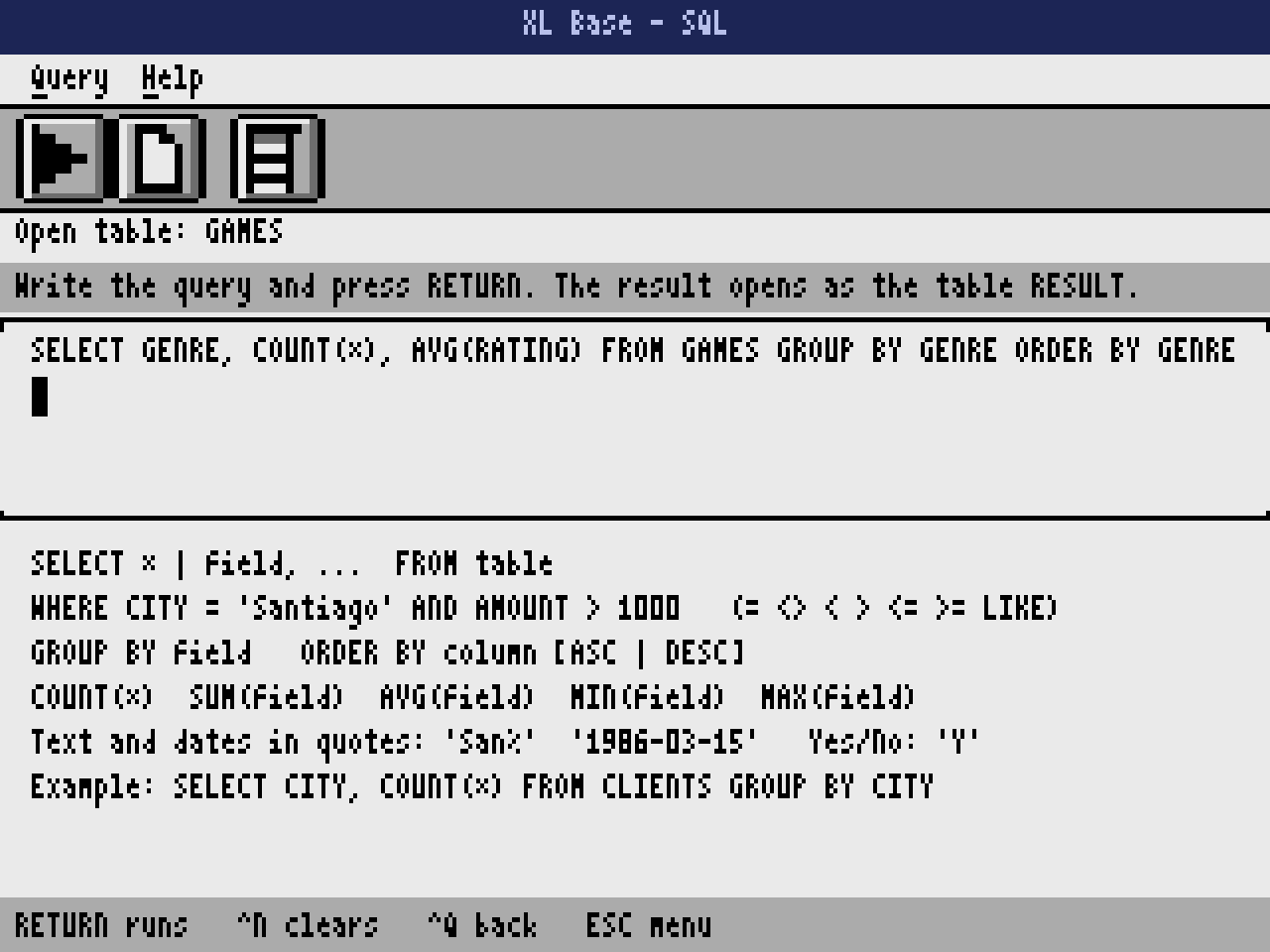
^E (Table > SQL query) opens the query module. Write the query and press RETURN: the result opens in the datasheet as the table RESULT, ready to sort, export or print. The last query is saved and comes back next time; ^Q returns without running.

- Form:
SELECT * | field, ... FROM table [WHERE condition] [GROUP BY field] [ORDER BY column [ASC | DESC]]. - Columns: fields, or
COUNT(*),SUM(field),AVG(field),MIN(field),MAX(field), namedCOUNT,SUM_FIELDand so on (up to 10 characters). - Conditions:
=,<>,<,>,<=,>=,LIKE, withAND,OR,NOTand parentheses. Numbers without quotes; text, dates ('1986-03-15') and yes/no ('Y') in quotes.LIKEtakes%at the start and/or the end. - GROUP BY: one row per value; the other columns must be aggregates.
- Examples:
SELECT TITLE, YEAR FROM GAMES WHERE RATING >= 9 ORDER BY YEARandSELECT GENRE, COUNT(*), AVG(RATING) FROM GAMES GROUP BY GENRE. - A mistake shows a message with the word where it happened, and the cursor goes there.